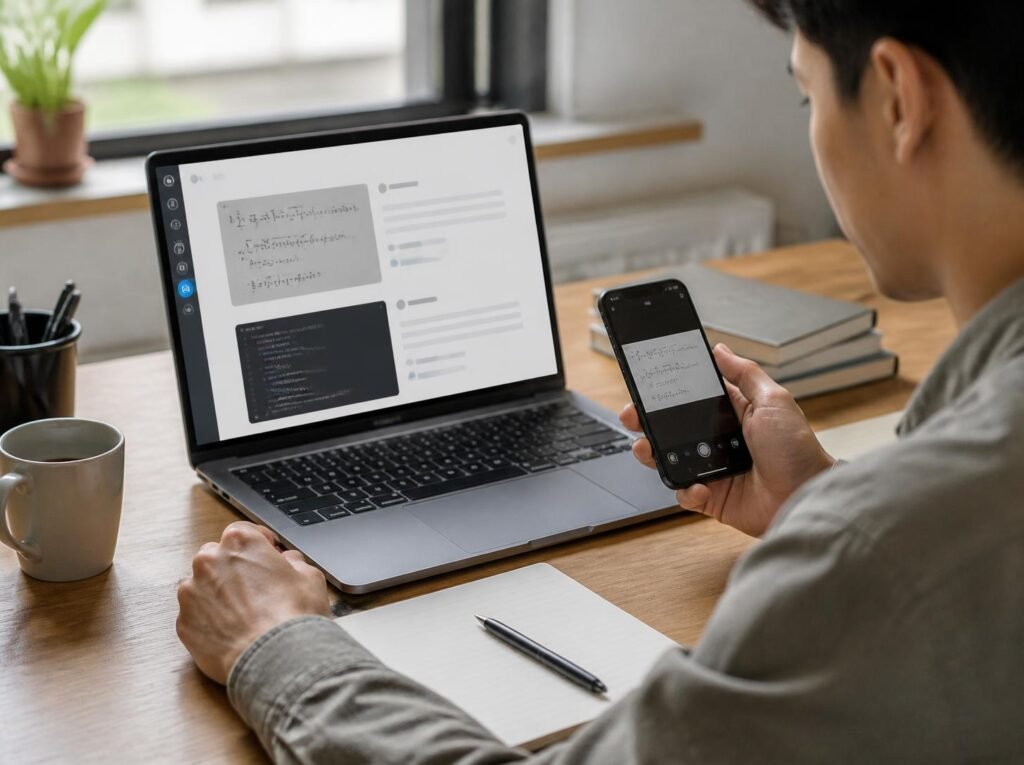
Stuck on a difficult math equation, coding error, or homework question? Instead of spending time typing everything into a search engine, imagine taking a screenshot and getting a clear explanation of the problem.
That’s exactly what Screenshot Solver AI helps you do.
These AI-powered tools can analyse screenshots, recognise written information, and provide explanations or suggested solutions. Whether you’re a student solving algebra, a developer troubleshooting code, or someone trying to understand a complicated chart, screenshot-solving technology can make the process easier.
But not every screenshot solver works the same way. Some specialise in mathematics, while others can interpret a wider range of visual information.
In this guide, you’ll discover how Screenshot Solver AI works in 2026, how to use it effectively, which tools are worth considering, and how to avoid common mistakes.
What Is Screenshot Solver AI?
Screenshot Solver AI refers to artificial intelligence tools that analyse screenshots to identify questions, interpret visual content, and generate helpful answers or explanations.
Unlike traditional search engines, which primarily rely on text queries, these tools allow users to upload images containing equations, diagrams, questions, tables, or error messages.
For example, suppose you’re studying mathematics and encounter this equation:
4x + 8 = 28
Rather than manually entering it into a calculator, you can capture a screenshot and ask an AI assistant to explain the solution.
The correct process is:
- Subtract 8 from both sides:
4x = 20 - Divide both sides by 4:
x = 5 - Verify the answer:
4(5) + 8 = 28
The advantage isn’t simply getting the answer. A good explanation shows how the result was obtained, allowing users to understand the underlying concept.
These tools are useful because they eliminate much of the manual effort involved in transferring information from one application to another.
How Does Screenshot Solver AI Work?
Screenshot solvers combine image understanding, text recognition, and artificial intelligence to interpret visual information.
Although different applications use different technologies, the general process involves four stages.
1. Capturing and Uploading an Image
First, users take a screenshot of the question or problem.
On Windows, press Windows + Shift + S to select the relevant area. Mac users can press Command + Shift + 4.
On smartphones, screenshots can be captured using the device’s built-in controls.
The captured image is then uploaded to a compatible AI application.
2. Reading Text and Visual Elements
Once uploaded, the system identifies information within the screenshot.
Traditional optical character recognition (OCR) converts image-based text into machine-readable characters.
More advanced multimodal AI models can interpret text alongside diagrams, charts, layouts, and other visual elements.
For example, a screenshot might contain a triangle, its measurements, and a geometry question.
An image-capable AI model can attempt to understand how those details relate to one another.
However, accuracy depends partly on image quality and the complexity of the content.
3. Understanding the Question
Next, the AI attempts to determine what the user needs.
A screenshot of a Python error requires a different response from an image containing a chemistry equation.
Clear instructions improve the relevance of the explanation.
For example, asking “Explain why this code produces an error” is more specific than simply writing “Solve this.”
4. Generating a Solution
Finally, the AI produces an answer based on the information it has interpreted.
Depending on the problem, the response may include mathematical calculations, programming suggestions, explanations, or related information.
Some applications can also use additional tools to help check calculations.
However, screenshot solvers are not guaranteed to be accurate. Even when an AI correctly reads an image, it can still make reasoning mistakes.
How to Use Screenshot Solver AI: Step-by-Step Guide
Getting started with an AI screenshot solver is straightforward. The following process works with many image-capable AI assistants.
Step 1: Choose a Screenshot-Solving Tool
Start by selecting a tool that supports image uploads or image-based problem solving.
For general explanations, ChatGPT is one option. For mathematics, Photomath provides specialised scanning and step-by-step solving features. Google Lens is useful for visual search and finding related information.
Choose the application based on the type of problem rather than assuming every AI tool offers identical capabilities.
Step 2: Capture a Clear Screenshot
Take a screenshot that includes the complete problem.
Make sure mathematical symbols, diagrams, and written instructions are readable.
Avoid cropping out information that affects the question.
For example, a geometry problem might depend on measurements displayed outside the main diagram.
If those measurements are missing, the AI may struggle to generate a useful explanation.
Step 3: Upload the Screenshot
Open your preferred application and attach the image.
In ChatGPT, you can use the attachment control or paste a copied image directly into the conversation.
Google Lens also supports searching with screenshots saved on your device.
The exact interface depends on the application and device.
Step 4: Write a Clear Prompt
The instructions you provide can influence how useful the response becomes.
Instead of asking:
“What’s the answer?”
Try:
“Read the question in this screenshot, explain each step, and verify the final answer.”
For programming problems, you could write:
“Identify the error shown in this screenshot, explain the possible cause, and suggest a corrected code example.”
Detailed prompts help the AI focus on your actual question.
Step 5: Verify the Explanation
Before relying on the response, confirm that the AI correctly interpreted the original screenshot.
Check mathematical symbols, numerical values, and any assumptions used in the explanation.
If something appears incorrect, ask the tool to reconsider that specific part.
For important work, use a trusted source or independent method to verify the result.
Best AI Tools for Solving Screenshots in 2026
Several established applications can help users interpret information from images. The best choice depends on the problem you’re trying to solve.
1. ChatGPT: Best for General Explanations
ChatGPT supports image uploads and can answer questions about documents, mathematical problems, diagrams, and other visual content.
Its conversational interface makes it useful when you need more than a short answer.
For example, you can upload a screenshot of a programming error and ask for a beginner-friendly explanation.
You can then request additional examples or ask the AI to explain an unfamiliar concept.
Best suited for: General questions, coding explanations, document interpretation, and interactive learning.
Limitation: ChatGPT can misinterpret small text, complex diagrams, or unclear images. Its explanations also require verification.
2. Google Lens: Best for Visual Search
Google Lens allows users to search using images rather than traditional keywords.
You can capture or upload a screenshot and search for information connected to the visible content.
It is particularly useful when identifying objects, finding related webpages, extracting visible text, or researching unfamiliar information.
Google also documents educational capabilities for mathematical and scientific questions, although specific interfaces and features may differ across devices.
Best suited for: Visual searches, finding related explanations, text identification, and general research.
Limitation: Search results may require additional reading, and the availability of dedicated homework features can vary.
3. Photomath: Best for Mathematics
Photomath focuses specifically on mathematical problem solving.
Users can scan mathematical expressions using their phone’s camera and explore explanations of the solving process.
Its documented subject coverage includes arithmetic, algebra, calculus, geometry, and certain word problems.
For example, a student struggling with quadratic equations can scan a problem and review the steps used to reach the solution.
Best suited for: Mathematics homework, equations, and learning calculation methods.
Limitation: Photomath is not intended as a general-purpose coding or document-analysis assistant. Some advanced educational features require payment.
Which Screenshot Solver Should You Choose?
| Tool | Primary strength | Suitable users |
|---|---|---|
| ChatGPT | Conversational explanations across subjects | Students, developers, professionals |
| Google Lens | Image search and related information | General users, researchers |
| Photomath | Step-by-step mathematics assistance | Mathematics students |
If you need help across different subjects, start with a general image-capable AI assistant.
If your main concern is mathematics, a specialised application such as Photomath may provide a more focused experience.
For finding information related to objects, images, or visible text, Google Lens is a practical option.
What Can Screenshot Solver AI Help You Solve?
Screenshot-solving technology supports several everyday activities.
Mathematics and Homework
Students can use screenshot solvers to explore algebra, geometry, trigonometry, fractions, and calculus.
For example, someone struggling with simultaneous equations can upload the problem and request an explanation of substitution or elimination.
The most productive approach is to use the explanation to understand the method rather than copying the final answer.
Programming and Debugging
Developers regularly encounter error messages that can be difficult to understand.
Suppose your screenshot contains this Python error:
NameError: name 'total' is not defined
An AI assistant may explain that the program is referencing a variable called total that Python cannot find in the relevant scope.
It can suggest checking variable names, definitions, and execution order.
However, the screenshot may not include enough code to identify the exact source of the problem.
Science and Technical Questions
Image-capable AI tools can help explain chemistry equations, physics formulas, and biological diagrams.
For instance, a student can upload a chemical reaction and request an explanation of how to balance the equation.
This can be useful for understanding the process, but scientific answers should be checked against reliable references.
Charts, Tables, and Documents
Screenshot solvers can also help interpret visual information in reports and presentations.
Imagine receiving a sales chart showing revenue across several months.
You could ask:
“Which month has the highest revenue, and what overall trend does this chart show?”
The AI may identify visible patterns and explain them in straightforward language.
However, for precise statistical or financial work, the original dataset is preferable to a screenshot.
How Accurate Is Screenshot Solver AI?
Screenshot Solver AI can solve many straightforward problems, but its accuracy depends on the image, subject, available context, and underlying AI model.
One common issue is incorrect text recognition.
For example, the AI might confuse 1 with 7, or interpret a multiplication symbol as the letter x.
More complicated problems can introduce reasoning errors even when the screenshot has been read correctly.
Charts also present challenges when axes are unclear or values are difficult to distinguish.
To reduce mistakes:
- Upload clear, high-resolution screenshots.
- Include the entire question and relevant instructions.
- Ask the AI to repeat the recognised equation before solving it.
- Request a step-by-step explanation.
- Verify important results independently.
For privacy, remove personal information, passwords, financial details, and confidential records before uploading images.
Students should also follow their institution’s rules regarding AI-assisted coursework and examinations.
Frequently Asked Questions About Screenshot Solver AI
Is Screenshot Solver AI free?
Some AI screenshot-solving applications offer free features, while others require subscriptions or impose usage restrictions. ChatGPT supports image inputs on free and paid plans, subject to applicable limits. Photomath offers basic step-by-step explanations without charge, with additional paid features.
Can AI solve math questions from screenshots?
Yes. Image-capable AI tools can interpret many mathematical questions and explain how to solve them. However, errors can occur, particularly when equations contain unclear symbols or complicated formatting.
Can Screenshot Solver AI read handwritten questions?
Some applications can recognise handwritten mathematical expressions and other handwritten content. Clear handwriting and good image quality improve the chances of successful recognition.
Can I use Screenshot Solver AI on my phone?
Yes. Image-capable AI applications are available on many Android and iPhone devices. You can capture a screenshot, upload it to a compatible tool, and ask questions about its contents.
Is it safe to upload screenshots to AI tools?
Safety depends on the application and the information contained in the screenshot. Avoid uploading sensitive personal details, passwords, or confidential documents. Review the provider’s privacy policy and available data controls before sharing private information.
Conclusion
Screenshot Solver AI provides a convenient way to understand questions, mathematical equations, programming errors, and visual information without typing everything manually.
Tools such as ChatGPT, Google Lens, and Photomath offer different approaches to image-based assistance, making it easier to choose an option suited to your needs.
However, the technology isn’t perfect. Unclear screenshots, missing context, and AI reasoning errors can affect the accuracy of the answers.
The best results come from combining clear images, specific prompts, and independent verification.
Whether you’re studying for an exam, fixing a coding problem, or reviewing a complicated chart, Screenshot Solver AI can be a useful learning companion when you use it thoughtfully.
Start with a simple question, ask the AI to explain its reasoning, and check whether the answer is correct. Understanding that process will help you make better use of screenshot-solving tools in 2026 and beyond.